 (770) 874-6085


 770-874-6085
Webflow vs WordPress vs Wix vs Squarespace is not a contest with one universal winner; the right small-business platform depends on how much control, editing simplicity, design freedom, integration depth, ownership and ongoing technical responsibility the business actually wants.
For the next practical step, see our guide to CMS choices for more complex organizations.
For the next practical step, see our guide to compare full platforms with cheaper website builders.
The useful comparison begins with the operating model.
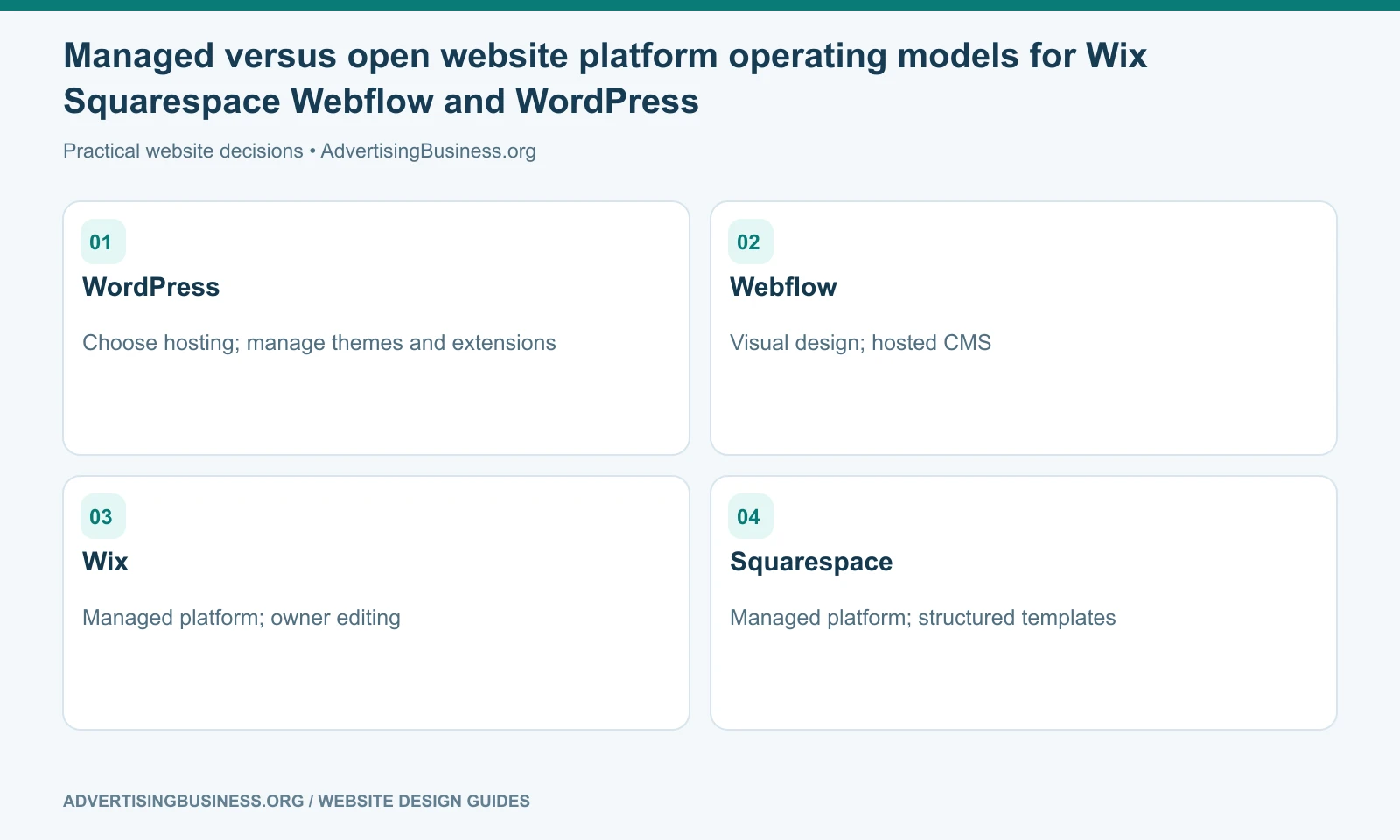
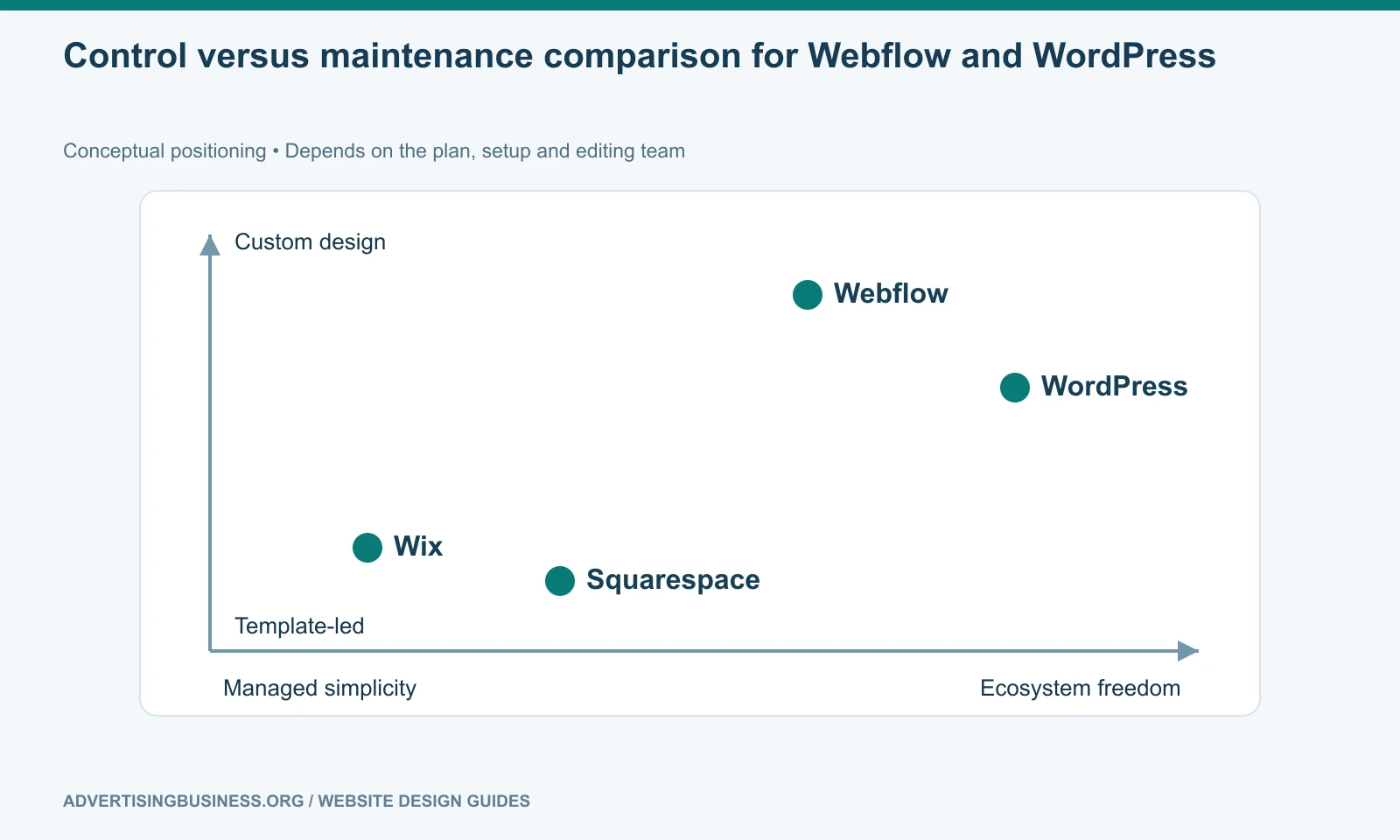
Wix and Squarespace are managed website platforms. Hosting, core software and much of the maintenance are bundled into the service. That reduces technical overhead.
For the next practical step, see our guide to a simpler Google Sites alternative.
Webflow is also managed, but gives designers and professional teams substantially more control over visual systems, layout and CMS-driven experiences.
WordPress is an open-source CMS. It offers the broadest ecosystem and hosting flexibility, but the owner or agency must manage more of the technical stack: hosting, updates, plugins, security, backups and compatibility.
That is the first decision. Do you want a managed system with defined boundaries, or a more extensible system with more responsibility?
The fastest builder is not automatically the best long-term platform
A business can launch quickly and still choose badly.
The first-week question is usually, “How fast can I make the site?” The second-year questions are different: Can I add new service pages? Can I build landing pages without fighting the template? Can I integrate the CRM? Can I change agencies? Can I export content? Can I scale the CMS? Can my team edit safely? Can I preserve SEO during redesigns?
Those questions expose the real differences.
A five-page brochure site with one contact form has very different requirements from a 200-page local SEO website, a membership site, a multi-location service brand, or a business with custom data and integrations.
For the next practical step, see our guide to commerce-first platforms may be a better fit.
Before choosing a platform, map the site structure with our guide to one-page vs multi-page website architecture. The platform should serve the architecture—not force the architecture into its easiest template.
WordPress: strongest when flexibility and ecosystem depth matter
WordPress remains attractive because the core software is open source and the ecosystem is enormous. Businesses can choose hosting, themes, page builders, ecommerce systems, SEO tools, form systems, analytics integrations and custom development approaches instead of depending on one vendor’s feature roadmap.
That flexibility also creates maintenance responsibility: poor plugin, theme and customization choices can make a WordPress stack fragile.
WordPress tends to fit businesses that expect significant content growth, custom integrations, advanced SEO architecture, WooCommerce, agency-managed development or long-term control over hosting and code.
It is weaker for an owner who wants one vendor to abstract away almost every technical decision and never think about plugins, updates or hosting.
Our current WordPress 7.1 guide shows how the core platform continues adding responsive editing and media capabilities while still leaving room for themes, plugins and professional development.
Webflow: strongest when design systems and visual control matter
Webflow sits between traditional visual builders and front-end development.
Its Designer gives professional users granular layout and interaction control without requiring every decision to be handwritten in code. Its CMS supports structured collections, and its managed hosting removes much of the server-maintenance burden.
Webflow has also changed materially in 2026. According to Webflow’s current documentation, its AI Site Builder can create a new multi-page site from a description. With a paid Workspace or Site plan, it can generate up to five pages initially, with additional pages added after generation. Webflow notes that the AI Site Builder applies to newly created AI sites or sites already created through that system, not any arbitrary legacy Webflow site.
Webflow tends to fit design-led marketing sites and teams that want custom visual systems without owning a traditional hosting stack. Sophisticated builds still have a learning curve, and deeply custom server-side workflows may need external services or a different architecture.
Wix: strongest when an owner wants an integrated business builder
Wix has moved far beyond its old reputation as a simple template editor.
Its current product includes AI-assisted site creation, business applications, ecommerce, scheduling, forms and marketing tools. One important 2026 correction is that Wix ADI is no longer a current product. Wix officially ended ADI support on November 10, 2024 and replaced it with the Wix AI Website Builder. Existing ADI sites move into the Wix Editor.
Wix is a strong fit for small businesses that value an integrated platform and routine visual editing without managing hosting or core software. The tradeoff is greater dependence on Wix’s proprietary ecosystem.
For SEO, avoid the outdated statement that “Wix cannot rank.” Search visibility depends on crawlable pages, useful content, site architecture, performance, internal links and the ability to control important search elements. The practical question is whether the platform supports the SEO program your business intends to run.
If you already use Wix and the issue is visibility rather than platform choice, read why a Wix site may not be showing on Google.
Squarespace: strongest when polished publishing simplicity matters
Squarespace is often strongest for businesses that want a highly polished marketing site without a deep technical learning curve.
Its template and section-based model works well for professional services, creators, restaurants, portfolios, events and smaller ecommerce catalogs. The platform includes hosting and core maintenance, and its content editing experience is deliberately controlled.
Squarespace’s current AI website workflow is Blueprint AI, not a generic claim that the platform simply “writes a website.” Blueprint AI helps generate an initial site direction and content that can then be edited within Squarespace’s normal page and design system.
Its controlled environment is also the limitation: unusual data relationships, complex workflows or highly bespoke front-end behavior can push against platform boundaries.
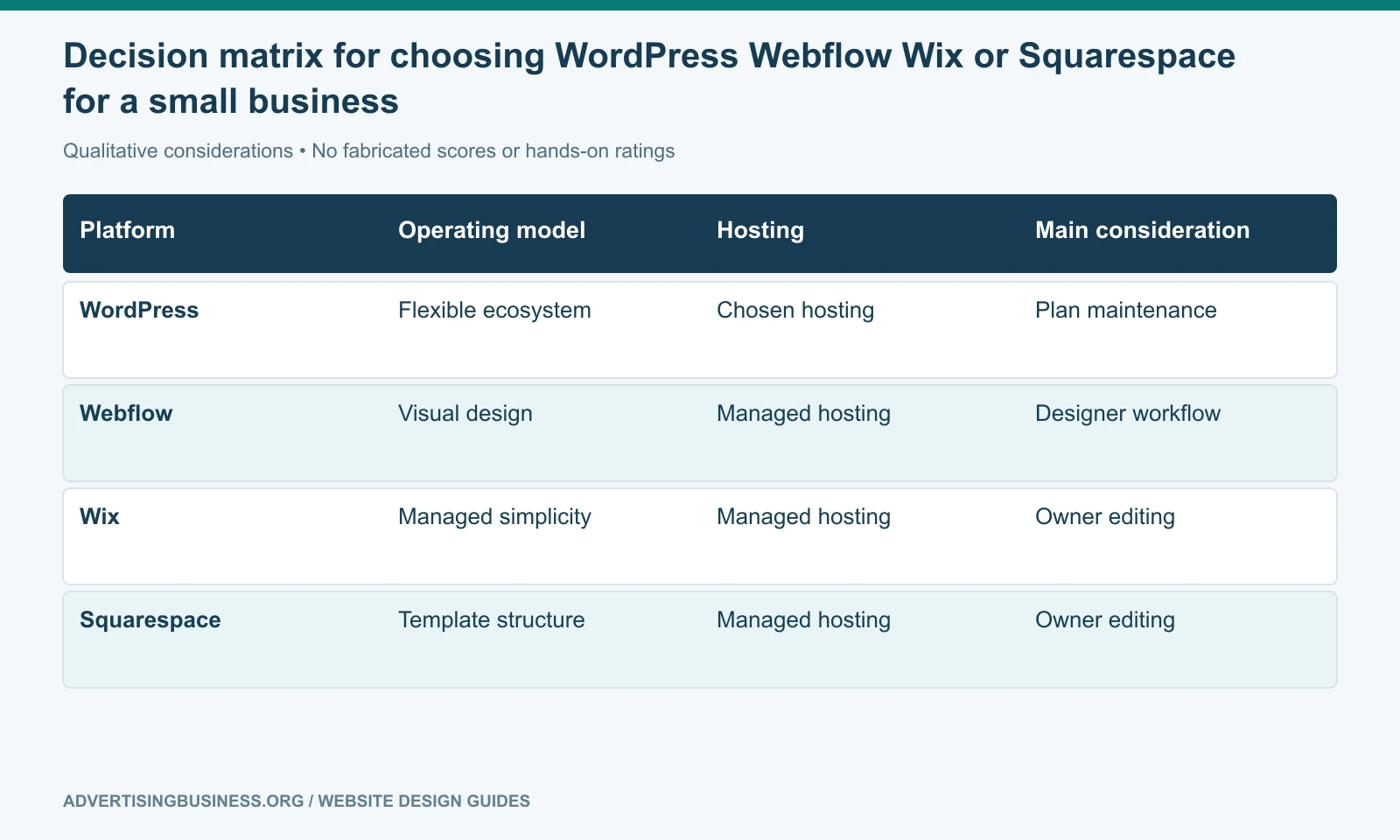
Webflow vs WordPress vs Wix vs Squarespace at a glance
Webflow vs WordPress vs Wix vs Squarespace becomes much easier to decide when the comparison is based on operating priorities rather than generic feature checklists.
| Priority | Strong first look | Why |
|---|---|---|
| Maximum ecosystem and hosting control | WordPress | Open-source core, broad plugin/developer ecosystem, flexible hosting |
| Advanced visual design without managing servers | Webflow | High design-system control with managed hosting |
| Integrated DIY business tools | Wix | Website, AI builder and business apps inside one managed platform |
| Polished brochure/content site with low maintenance | Squarespace | Controlled design system and managed platform |
| Large content/SEO expansion | WordPress or Webflow | Both can support structured multi-page growth with different operating models |
| Owner wants minimum technical maintenance | Wix or Squarespace | Managed platform removes much of the stack management |
| Custom ecommerce complexity | WordPress/WooCommerce or a commerce-first platform | Greater extensibility may matter more than page-builder simplicity |
This table is not a ranking. A strong agency can build an excellent site on any of the four when the platform matches the requirements.
SEO is not a platform badge
No CMS earns rankings because of its logo.
Google’s systems need discoverable, indexable pages with useful content, clear relationships, good user experience and legitimate relevance. Platform choice affects how easy or difficult those jobs become, but it does not replace them.
A WordPress site with duplicate pages and broken internal links can underperform. A Wix site with excellent local content and clear technical setup can rank. A Webflow site with beautiful animation but thin content can fail search intent. A Squarespace site can perform well for a focused business while becoming cumbersome for a 500-page content program.
Evaluate the actual publishing and SEO workflow: title and meta controls, headings, canonical handling, redirects, sitemap behavior, structured data options, image handling, page speed, content relationships and analytics.
Our internal linking strategy guide explains why the architecture matters regardless of CMS.
Ownership means more than “I own the domain”
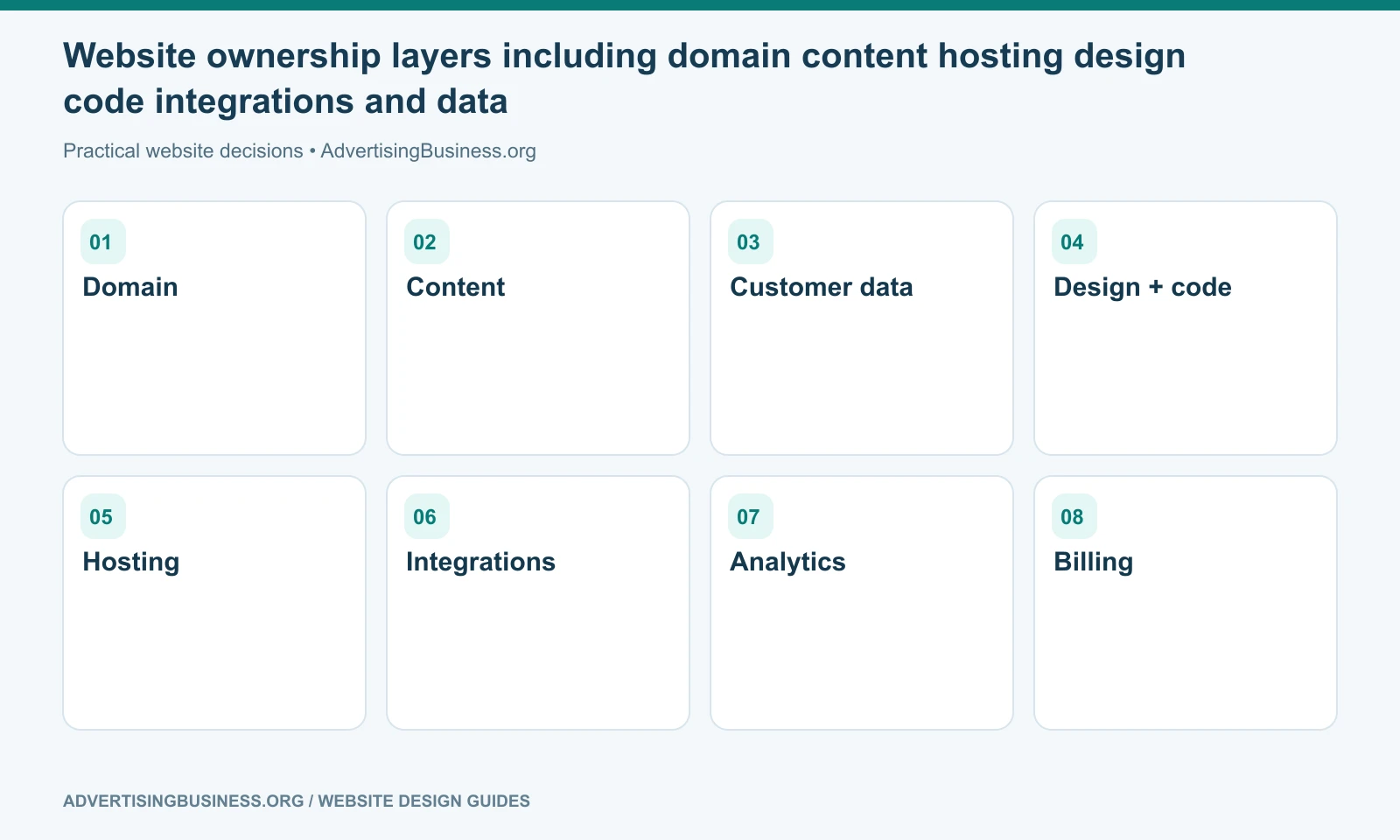
Your domain should be registered in an account the business controls. But platform ownership has additional layers.
Ask whether you can export content, move hosts, move templates, access code, transfer billing, invite another agency, preserve URLs and keep forms or integrations working after a provider change.
With WordPress, the site can generally move between compatible hosting providers, although proprietary themes, plugins and builders can still create dependencies.
With managed SaaS platforms, hosting and core software remain tied to the platform. You may own the content and domain while still needing to rebuild parts of the implementation to leave.
That is not a reason to reject SaaS. It is a reason to understand exit cost before entry.
Choose for the business you expect to operate
The cheapest migration is the one you never need because the initial platform matched the business model.
A solo consultant who wants five polished pages and a contact form may be perfectly served by Squarespace or Wix. A design-led startup may prefer Webflow. A local service company building hundreds of service and location resources may value WordPress. A company with an internal development team may make a different choice again.
If you want the platform recommendation made from the business requirements instead of from software fandom, Elite Web Professionals can map the content, conversion, SEO and maintenance needs before the build. Review our Website Design service or contact us with your current platform, required integrations and growth plan.
Webflow vs WordPress vs Wix vs Squarespace should be decided by the website you need to operate after launch, not by which builder produces the most impressive first ten minutes. Choose the system whose constraints match your team, then build the architecture and customer journey well.
Frequently asked questions
Is WordPress better for SEO than Wix, Webflow or Squarespace?
Not automatically. WordPress provides extensive SEO tooling and architectural flexibility, but rankings depend on implementation, content, crawlability, internal links, performance and relevance rather than the CMS name alone.
Which platform is easiest for a small-business owner to edit?
Wix and Squarespace usually provide the most controlled managed editing experience. Webflow offers more design control with a steeper learning curve. WordPress ease varies significantly by theme and page-builder setup.
Does Webflow have an AI website builder in 2026?
Yes. Webflow documents an AI Site Builder for new AI-generated sites. On a paid Workspace or Site plan it can initially generate up to five pages, with more pages added after generation.
Is Wix ADI still available?
No. Wix says ADI support ended November 10, 2024 and the Wix AI Website Builder replaced it.
Sources
- Official source — Webflow: https://help.webflow.com/hc/en-us/articles/38840145286035-Build-a-site-with-Webflow-s-AI-site-builder
- Official source — Wix: https://support.wix.com/en/article/adi-sites-no-longer-supported
- Official source — Squarespace Blueprint AI: https://www.squarespace.com/websites/ai-website-builder
- Official source — WordPress: https://wordpress.org/about/features/
- https://www.advertisingbusiness.org/wordpress-7-1-marketers-seo-competitors/
- https://www.advertisingbusiness.org/internal-linking-strategy-guide-right-page/

 customersupport@advertisingbusiness.org
 (770) 874-6085