 (770) 874-6085


 770-874-6085
The WordPress Core Security Initiative responds to a sharp increase in incoming security reports as frontier AI makes source-code analysis and vulnerability discovery faster. WordPress is not saying that one newly disclosed emergency flaw suddenly puts every site at risk. It is describing an operational challenge: more findings can make the ecosystem safer only when maintainers can triage, validate, patch, release and communicate fixes reliably.
Quick Answer
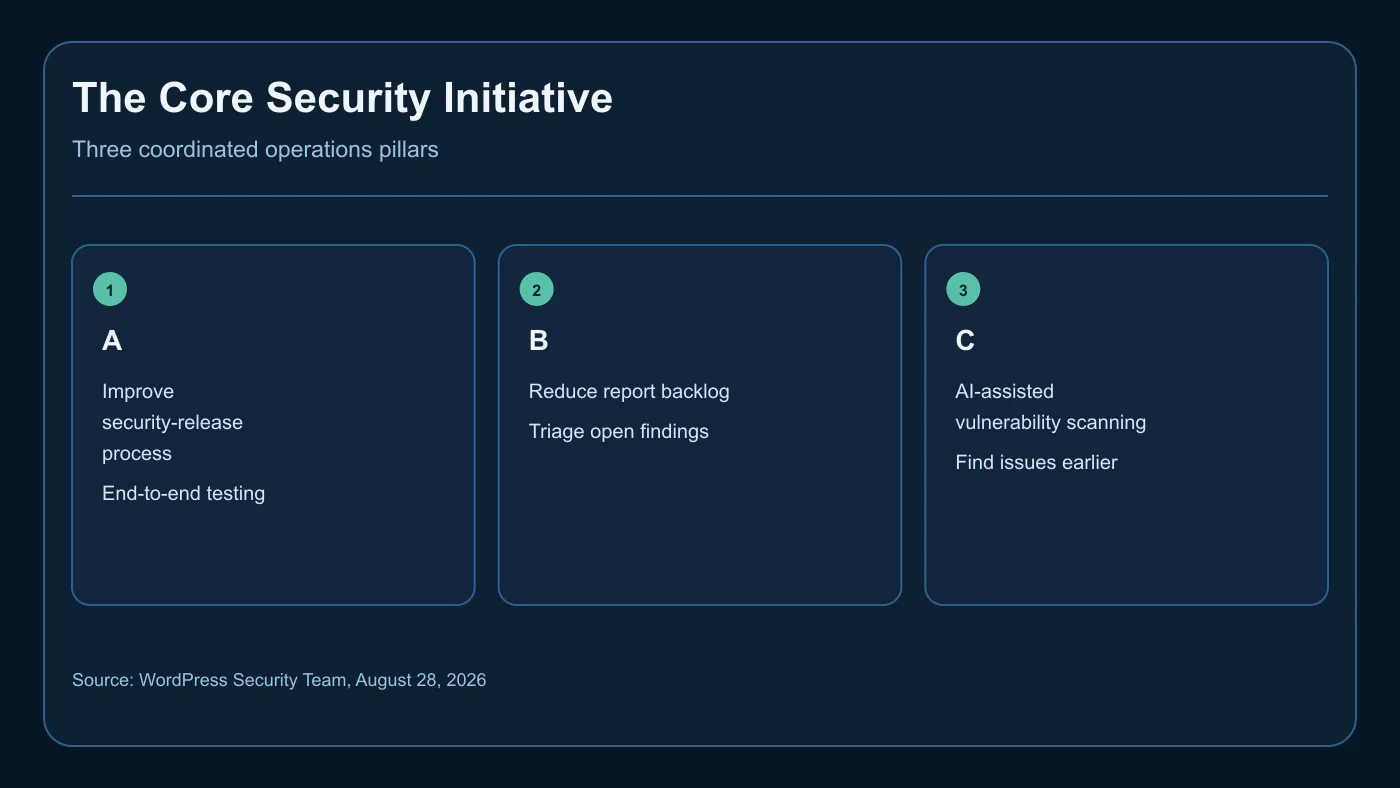
On August 28, 2026, the WordPress security team announced a coordinated three-part effort: improve the security-release process, reduce the backlog of reports and known issues, and use AI-assisted scanning to find vulnerabilities before exploitation. Site owners should not panic or assume a zero-day was announced. They should prepare a tested backup, staging, approval, monitoring and rollback process now.
Key Facts
| Topic | Confirmed information | What remains open |
|---|---|---|
| Announcement | WordPress published the initiative on August 28, 2026. | No specific emergency flaw was named. |
| Report volume | WordPress says incoming reports rose substantially. | No public total or validation rate was given. |
| Pillar A | A tighter, more automated release process with end-to-end testing. | Release dates and individual fixes were not listed. |
| Pillar B | More help to work through reports and known issues. | Backlog size was not disclosed. |
| Pillar C | AI-assisted scanning and tooling to find vulnerabilities early. | Specific tools, coverage and results were not disclosed. |
What WordPress Announced on August 28
WordPress announced a coordinated Core Security Initiative under three pillars: a better security-release process, breaking the backlog and crushing vulnerabilities with AI-assisted scanning. The official WordPress Security Team announcement says the project has seen a substantial increase in incoming reports and that more security research is a good outcome when it can be handled well.
The announcement is about security operations: upcoming security releases, contributors to reduce open findings, and AI-assisted scanning alongside responsible disclosure. It does not identify a vulnerable version, exploited zero-day, patch date or deadline. Those distinctions support calm, accurate decisions.
Why AI Is Increasing Security-Report Volume
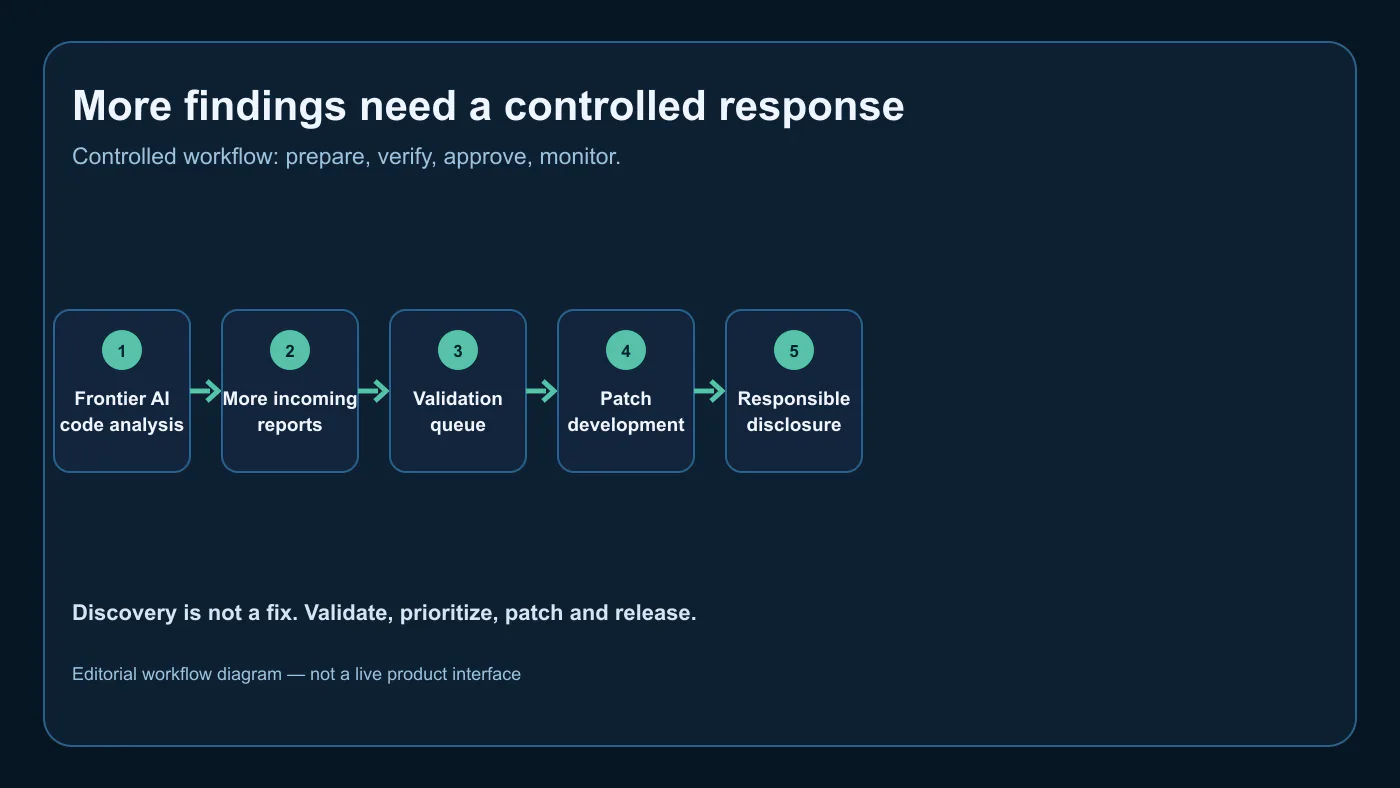
WordPress says frontier AI models have made source-code analysis and vulnerability research easier, and reporting volume has risen accordingly. AI analysis can inspect more paths and formulate a report faster, but it can also produce false positives, duplicates or incomplete explanations. A finding is useful only after validation, prioritization and secure patch development.
A larger stream of reports is both promising and demanding. Responsible disclosure sends a possible issue through the project’s channel so maintainers can investigate and coordinate a fix before public exposure. WordPress directs core reports to HackerOne and emphasizes report quality. Do not treat rumors, scanner output or a social post as an emergency advisory.
What the Three Pillars Mean for a Business Website
A—better release process: WordPress describes tighter, more automated releases with end-to-end testing. Predictable does not mean risk-free: a production site may have a page builder, custom code, commerce, forms and analytics that deserve a focused regression check.
B—breaking the backlog: A queue of incoming reports needs triage. The security team’s aim is to work through open reports and known issues, not to declare every submitted report a confirmed vulnerability. Businesses should keep software inventory and ownership current so they can assess a real advisory promptly when it appears.
C—AI-assisted scanning: WordPress says it will apply scanning and tooling to find vulnerabilities before exploitation. The announcement does not name a model, promise complete coverage or remove human security review. It is a proactive complement to incoming reports, not a reason for a website owner to install unreviewed AI security tooling.
Facts Versus What Is Still Unclear
Confirmed: higher report volume, WordPress’s attribution of much growth to frontier AI-aided research, the three pillars and the intention to schedule releases. Unclear: the size of the backlog, the release calendar, the scanning tools, what percentage of reports validate, and the effect on any individual website. The responsible response is readiness, not a claim that WordPress has disclosed an emergency vulnerability.
The WordPress Security Checklist Businesses Should Complete Now
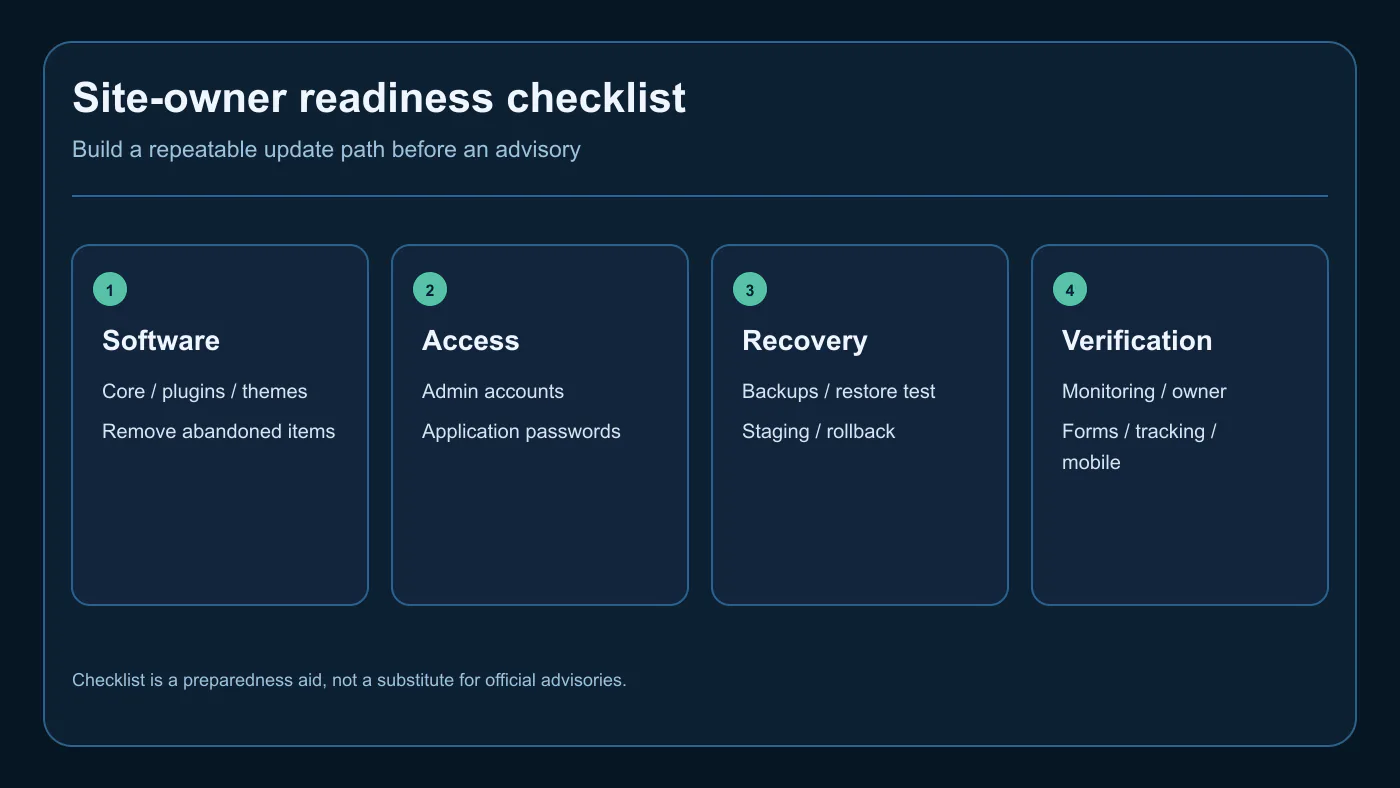
Confirm an off-site backup can be restored; an untested backup is only an assumption. Create a staging path, inventory WordPress core, plugins, themes and custom code, and remove unused or abandoned software. Review administrator accounts, application passwords and API keys, assigning each an owner and revocation method.
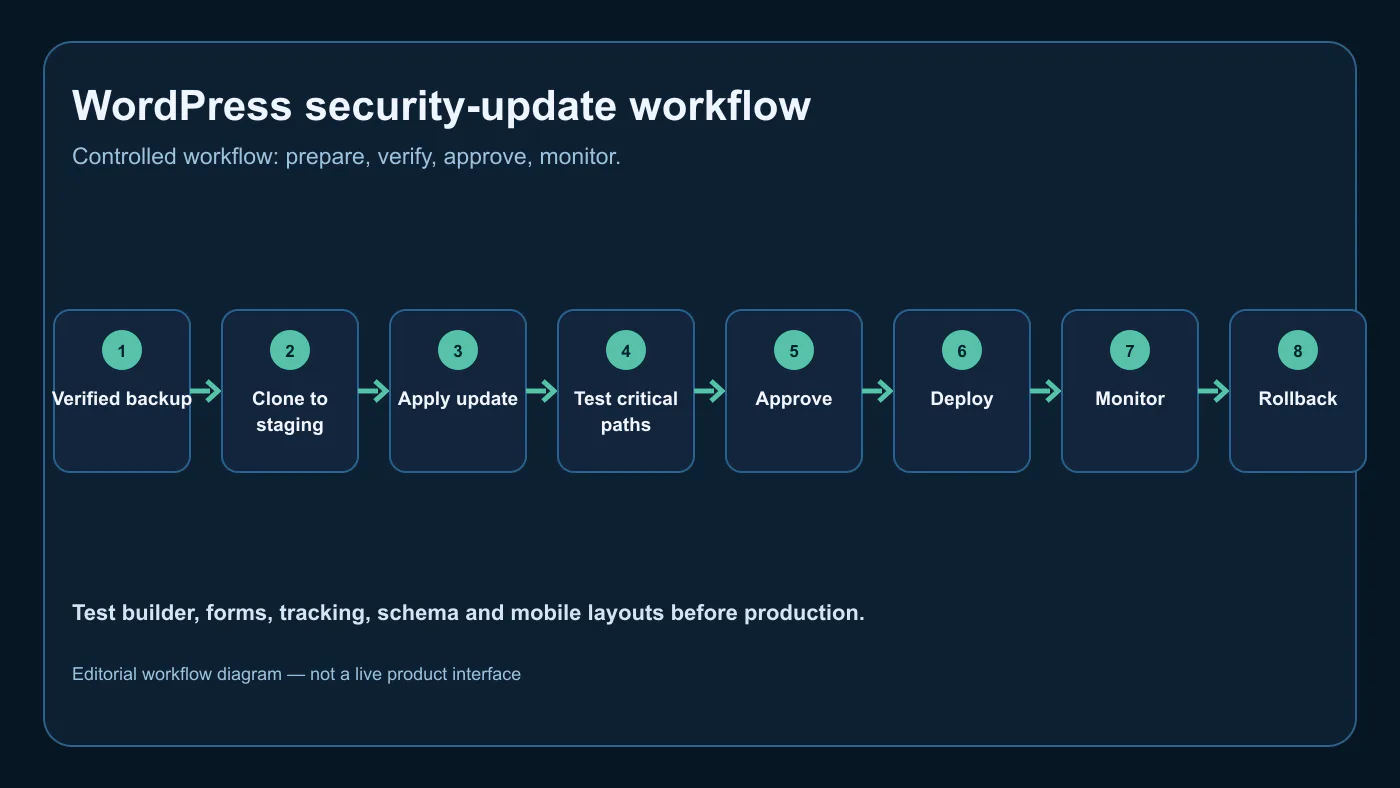
Document who evaluates an advisory, approves, deploys, monitors and can roll back an update. Afterward, test mobile layouts, key forms, checkout, call tracking, analytics, schema, redirects and confirmation emails. The guide to safe website administrator access supports the access-control work.
Plugins, Themes, Page Builders, and Hosting Still Matter
Core security is one part of a revenue-generating WordPress site. A fast core update does not resolve risks in abandoned plugins, vulnerable themes, exposed hosting accounts, shared credentials or forgotten integrations. Know the site’s dependencies before an advisory forces the question.
Group assets by business consequence. A page builder and contact form may be critical to lead flow; a payment extension can be higher-risk; a dormant plugin can be removed after validation. Document host backup, restore, firewall and log controls. Make a security change an informed task rather than a late-night guess.
How Agencies Should Test and Roll Out Security Updates
Agencies should use per-client accounts, documented scopes and a repeatable approval record. Start from a verified backup, stage the change, review the advisory, apply the relevant update and exercise high-value flows. Log the version, test result, deploy time, monitor owner and rollback decision. AI agent security guidance likewise separates intelligence from unlimited authority.
When a WordPress Problem Becomes an Emergency
An emergency is defined by evidence: an official advisory, credible active exploitation, material exposure or business-impacting outage—not a general announcement. If speed is warranted, preserve a backup, restrict access, patch, verify customer flows and monitor. If staging is impossible, record why, test afterward and keep rollback ready.
What to Measure
Track backup-restore test success, time from advisory to validated deployment, staging-test coverage, unresolved administrator accounts, unused software removed, post-update form and tracking health, and rollback incidents. Pair platform metrics with business outcomes: qualified leads, checkout continuity, inquiry routing and conversion stability. The Codex implementation guide offers a useful reminder that technical speed only matters when validation protects the customer journey.
The WordPress Core Security Initiative should push every site owner to build a tested update, backup, staging, monitoring, and rollback process before the next security release arrives.
Build a WordPress Update Process Before the Next Security Release
Elite Web Professionals helps businesses maintain Growth Engine Websites that are built to be visible, found and chosen without treating security work as an afterthought. A practical WordPress process connects access control, backups, testing, monitoring and clear ownership so an update protects both the site and the lead path.
Request a WordPress readiness review to map the update path, critical customer flows and rollback responsibilities before an urgent notice appears.
Frequently Asked Questions
Did WordPress announce a new emergency vulnerability?
No. The August 28, 2026 announcement did not disclose a specific emergency vulnerability or zero-day. WordPress described a coordinated security initiative in response to higher incoming report volume, a release-process effort, a backlog-reduction effort and AI-assisted scanning. Site owners should stay prepared for routine and security updates without treating this announcement itself as proof of an active emergency.
Why are WordPress security reports increasing?
WordPress says incoming security-report volume has increased substantially and attributes much of the growth to frontier AI models making code analysis and vulnerability research easier. More reports can improve security when they are responsibly disclosed, validated and fixed, but they also create a triage and release-capacity challenge. The announcement does not give a public report total or say every report is a confirmed vulnerability.
What is the WordPress Core Security Initiative?
The WordPress Core Security Initiative is a coordinated effort announced by the WordPress security team on August 28, 2026. It has three stated pillars: improve the security-release process, reduce the queue of open reports and known issues, and use AI-assisted scanning and tooling to find vulnerabilities before exploitation. WordPress says the work is supported by the core security team, contributors and sponsors.
Is WordPress using AI to find vulnerabilities?
Yes. WordPress says one pillar of the initiative is applying AI-assisted scanning and tooling to find vulnerabilities before they can be exploited, alongside responsible-disclosure reports. The announcement does not describe a specific model, tool, coverage level, release date or guarantee. AI findings still require validation, prioritization, secure patch development and release testing.
Should businesses update WordPress immediately?
Businesses should maintain a prompt, risk-based update process, but this announcement alone is not a notice of a specific emergency update. For a security release affecting a site, assess the official advisory and exposure, confirm a restorable backup, test on staging when the risk and time allow, then deploy and monitor. Critical active exploitation may justify a faster path, but forms, checkout, tracking and rollback still need ownership.
What should a WordPress site owner check before the next security release?
Check that backups are restorable, staging is available, WordPress core, plugins, themes and custom code are inventoried, unused or abandoned software is removed, administrator accounts and application passwords are reviewed, and monitoring and rollback owners are known. Test the actual customer path after an update: forms, checkout, tracking, schema, mobile layouts and any builder or custom integrations.
KPIs to Track
- Impressions and clicks for WordPress security and initiative queries
- Readiness-checklist engagement and maintenance inquiries
- Backup restore-test success and staging-test coverage
- Update-to-validation time and rollback incidents
- Post-update form, tracking and conversion stability
What to Watch
- Official WordPress security-team releases and advisories
- Details on upcoming security-release scheduling
- Changes to responsible-disclosure guidance
- Plugin, theme and hosting dependency exposure
- Verified reports of active exploitation that affect the site

 customersupport@advertisingbusiness.org
 (770) 874-6085